Add podcast chapters that drive engagement in seconds!
Import your MP3, auto-generate chapters from AI or your outline, fine-tune with millisecond precision, and support all podcasting standards.
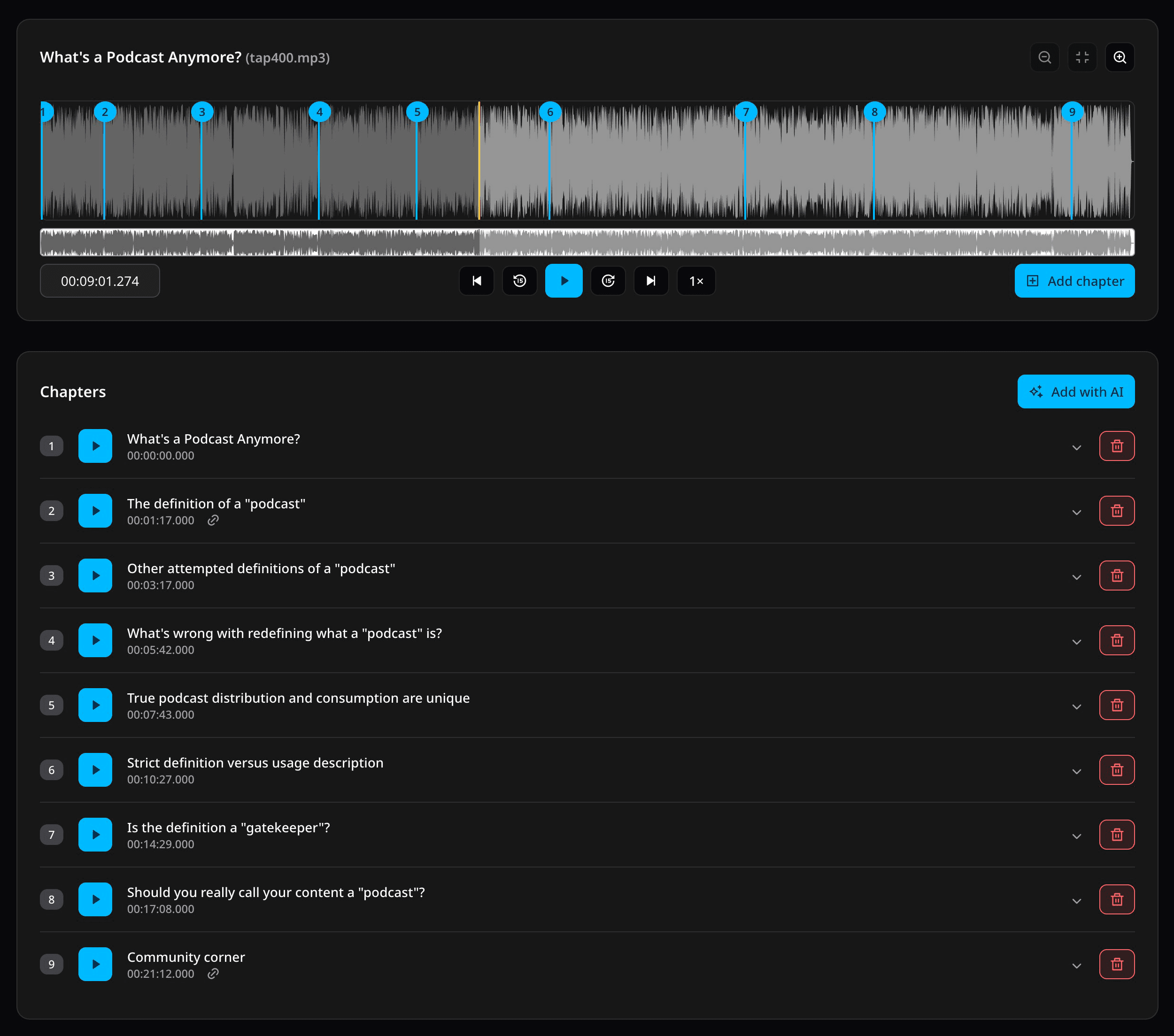
Why should you chapter your podcast?
- Provide helpful context during your content so your audience can follow along within each segment
- Display time-based images to make your audio episodes more visually engaging, great for displaying quotations, charts, code, photographs, and more
- Make your calls to action (including ads) more effective with easy links right when your audience needs them
- Help your audience retain your information with a quickly accessible outline
- Allow your audience to skip to what they want so they hear it from you instead of going somewhere else
From MP3 to chapters in about 30 seconds
- 1Import your episode MP3
- 2Let PodChapters transcribe it, or bring your own transcript
- 3Generate chapters automatically, or paste your outline to snap chapters to the audio with Outline to Chapters™
- 4Optionally fine-tune the timing or add images or links to your chapters
- 5Get your chaptered MP3 and more chapter formats!
You keep full control and can edit anything before you export.
(This demo video has not been truncated or sped up.)
Improve engagement, clicks, and monetization with podcast chapters
Give actionable links when your audience needs them
Add a URL to any chapter to link to a webpage, email address, phone number, sponsor, affiliate product, and more. Perfect for calls to action and monetizing your podcast!
Show images in your audio podcast
Your audience can see your images in their podcast app right when they’re relevant.
Help your audience understand your content
Turn your outline into chapters so your listeners can follow along with your key points.
Chapter your episodes easier, faster, and smarter than ever before
Place chapters from your outline
Our Outline to Chapters™ feature lets you paste your own outline and PodChapters will turn them into timed chapters for you.
Get chapters suggested for you
Let our AI find natural topic shifts and turn them into clear chapters.
Prevent cut-off words on chapter jumps
PodChapters uses millisecond precision to place your chapters exactly where you want them!
Simply drag and drop to move chapters
Reposition your chapters with ease by simply dragging and dropping them precisely where you want.
Use any MP3, no re-encoding needed
Drop in your episode MP3 of any length, add your chapters and tags, and download your chaptered MP3 without affecting your audio quality.
Auto-apply your own presets to save time
Save your ID3 tags and transcription settings as a preset to quickly apply. You can even auto-apply a preset based on filename patterns—perfect for managing multiple shows.
Use custom text snippets for repetitive text
Make your own snippets that will expand wherever you use them. For example, [[feedback]] could expand to your full feedback information or [[sponsor]] could expand to your current sponsor information.
No apps to install
PodChapters works in your browser, so it supports Windows, macOS, tablets, and Linux.
Listen at up to 3.0× speed to edit quicker
Review your content up to 3× faster so you can spend less time listening and more time creating!
Friendly, experienced support
Meet Daniel and Steve! We’re podcasters, too, and we're here to help you!
Ship everywhere with the broadest compatibility
Transcribe your episodes for accessibility
Download high-fidelity transcripts of your episodes in standard WebVTT format (perfect for Podcasting 2.0), SRT, and paragraph-formatted text.
Full ID3v2 tag support
Easily add your title, artist, album, image, notes, and more to your ID3v2 tags.
Export in multiple formats
PodChapters supports legacy MP3 chapters, Podcasting 2.0, Podlove Simple Chapters, YouTube timestamps, and outlines.
Pricing
Prices in USD. Cancel anytime!
Podcasters love PodChapters!
“
I really love this product. This will make everyone’s life easier! I thought it was really phenomenal. I want to pay for it because it is that good. This is exactly what we need.
Adam Curry
Inventor of podcasting, host of No Agenda, Podcasting 2.0, and Curry and the Keeper
“
My biggest workflow boost was when I started using my own new tool, PodChapters, to transcribe and chapter my podcast. I went from about 30 minutes across 5 tools to about 30 seconds in 1 tool: PodChapters!
Daniel J. Lewis
Creator of PodChapters, host of The Audacity to Podcast and The Future of Podcasting
“
For years, I didn't add chapters to Ben Franklin's World because the time required kept pushing it to the bottom of my list. Meanwhile, listeners wanted to jump to specific topics and teachers wanted to assign shorter sections to students. I've been using PodChapters since beta, and it's transformed that. What used to take hours now takes 15 minutes: the software generates a transcript, suggests chapter breaks, I make quick edits, and I'm done. Now listeners navigate straight to the topics they care about, and teachers can assign targeted sections. For $6.99/month on the Smart plan, I've made my podcast more useful without making my life harder.
Liz Covart
Host of Ben Franklin's World
“
As a podcaster of many hats, I am always looking for new ways to make production more efficient without sacrificing quality. I didn’t realize that PodChapters was going to be the game-changer it turned out to be when I first started using it. Making chapters transformed from a laborious chore to an ultra-fast, instinctive answer that benefits my episodes. It’s also now a crucial part of my process. The AI tools in PodChapters make these things happen in seconds!
Randy Black
Host of Bible Bytes and Shooting It Straight!
“
I don’t do a lot of chapters, and up until now I’ve either used the Hindenburg chapter feature for the basic chapters, then an app called Podcast Chapters for the more detailed chapters (images and links together), but your tool is SOOO much better.
Eric Alton-Glenn Hilliard
Host of Steele Watching
Frequently asked questions
Everything you need to know about PodChapters.
Ready to increase engagement with podcast chapters?
Import your audio, review the chapters, and export in just seconds!